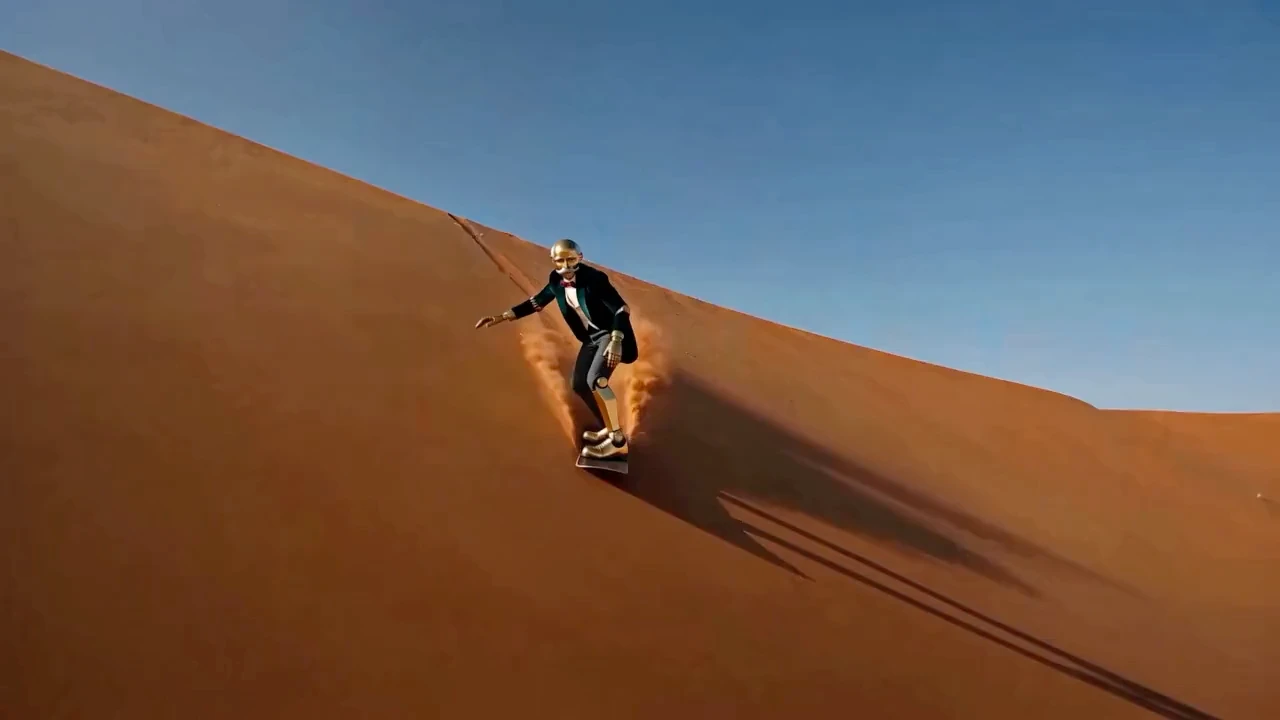
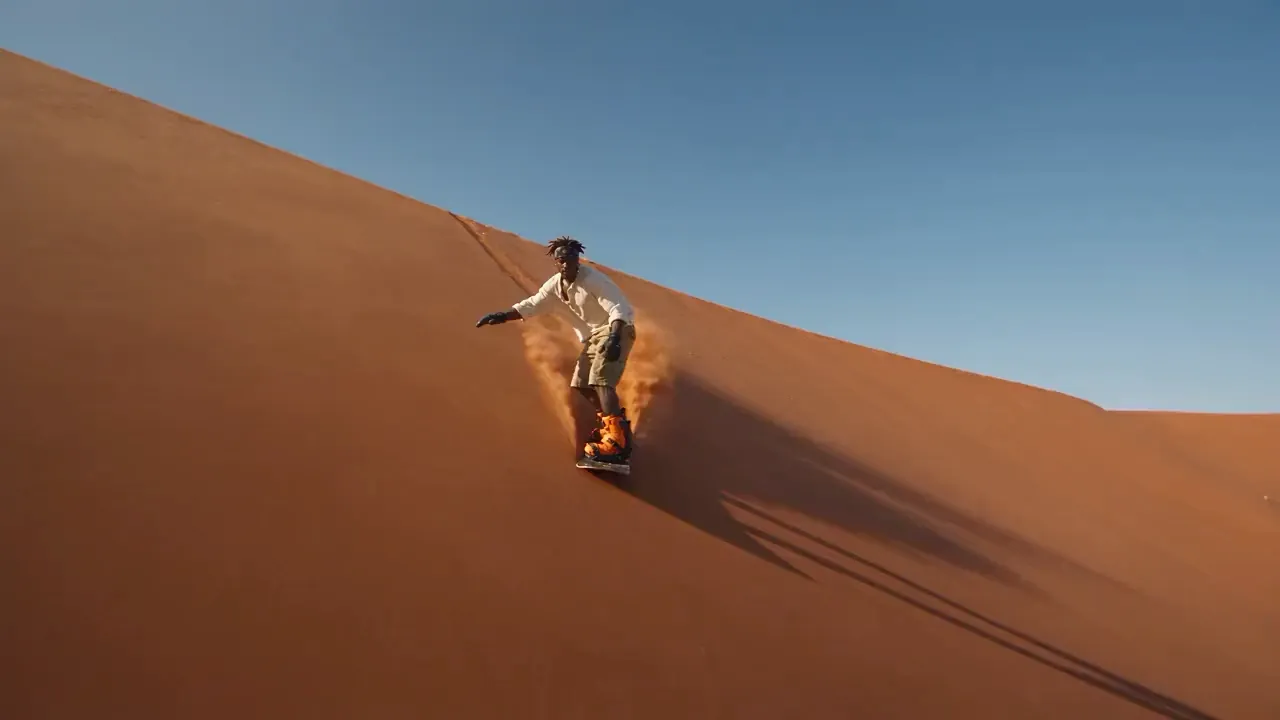
 OriginalRecast

 OriginalRecast
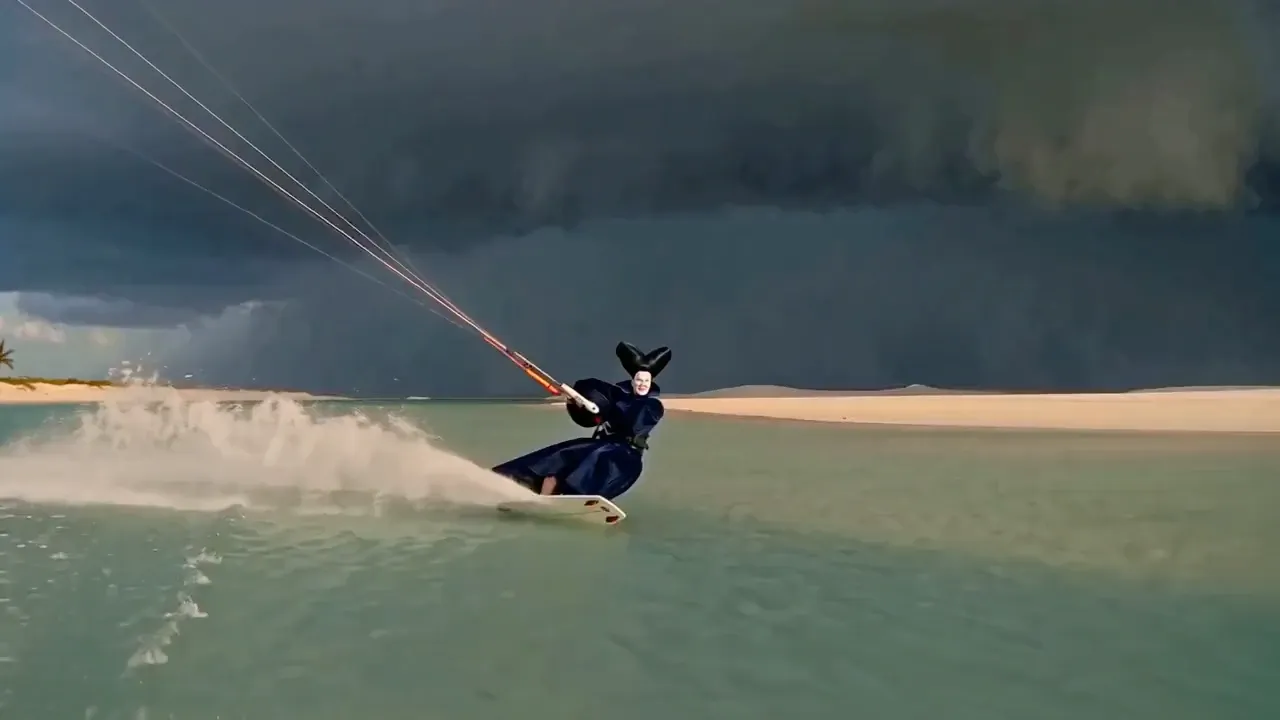
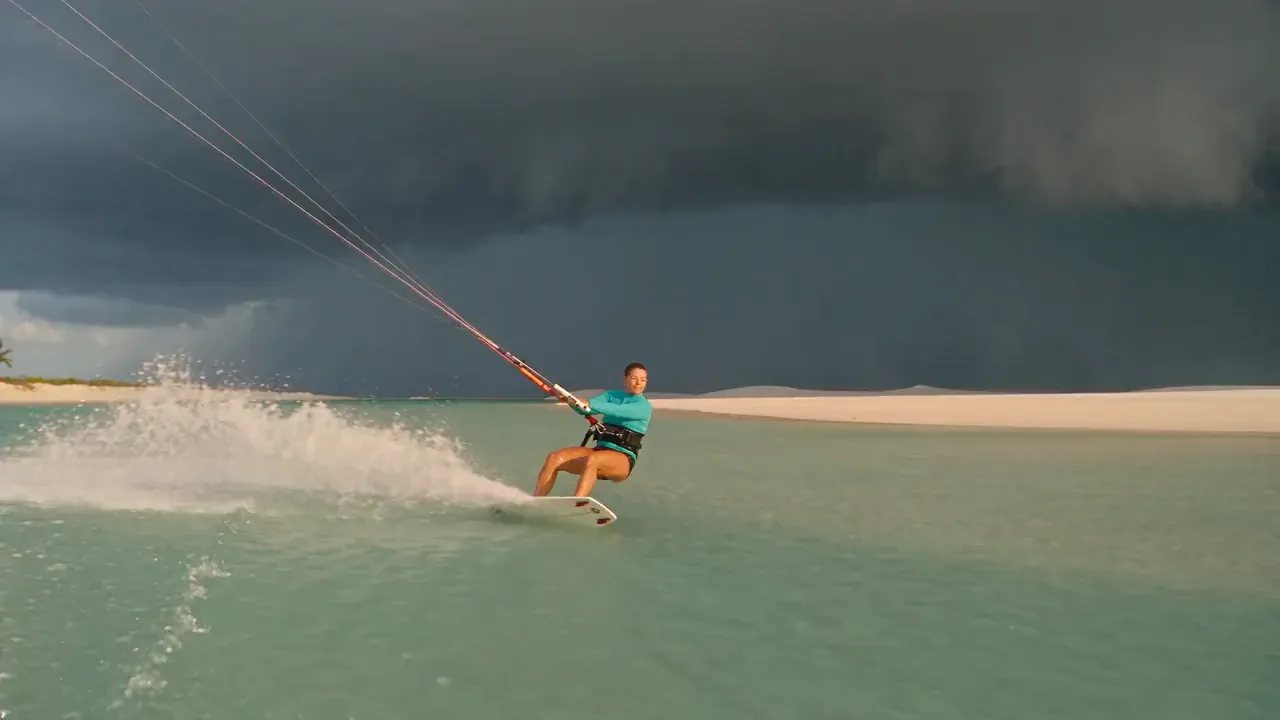 OriginalRecast
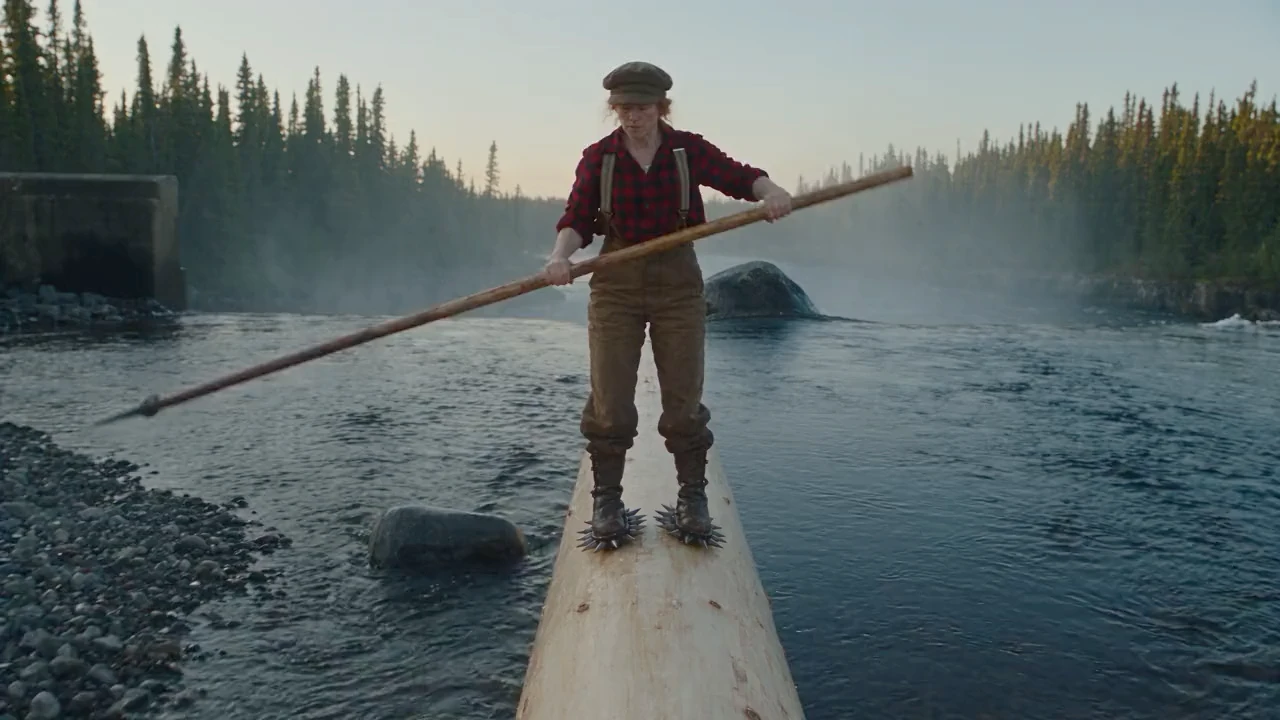
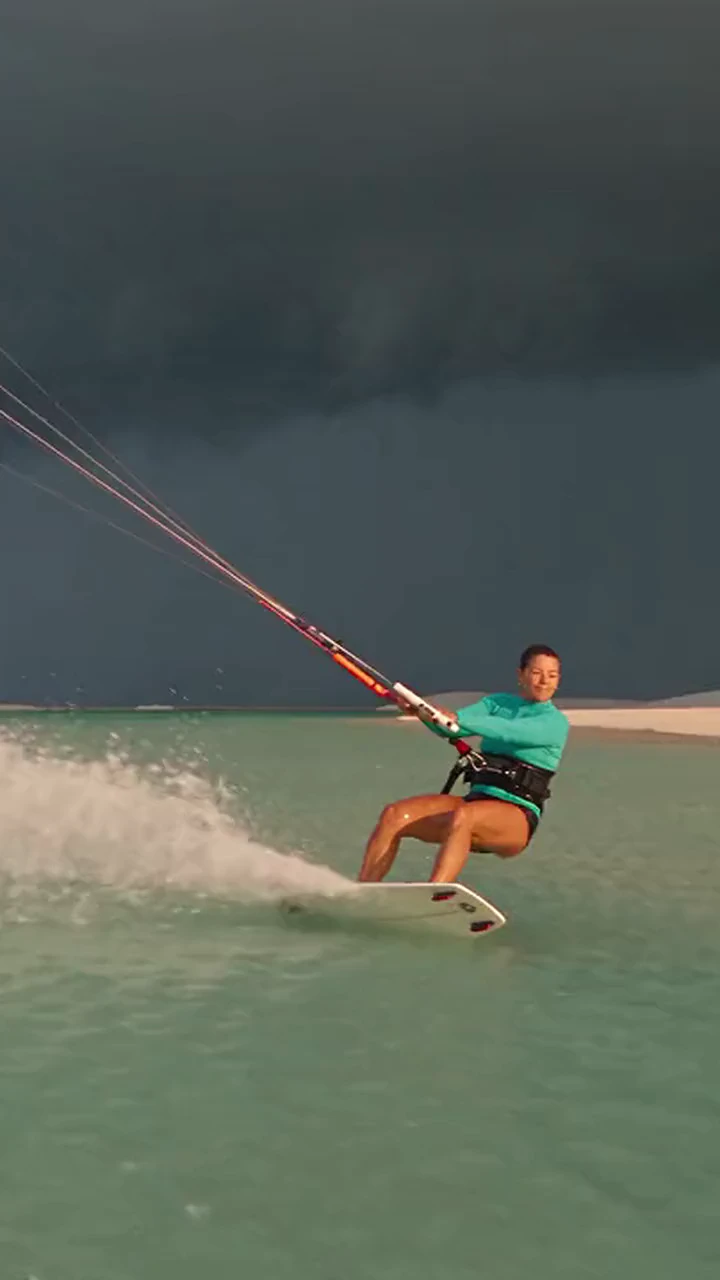
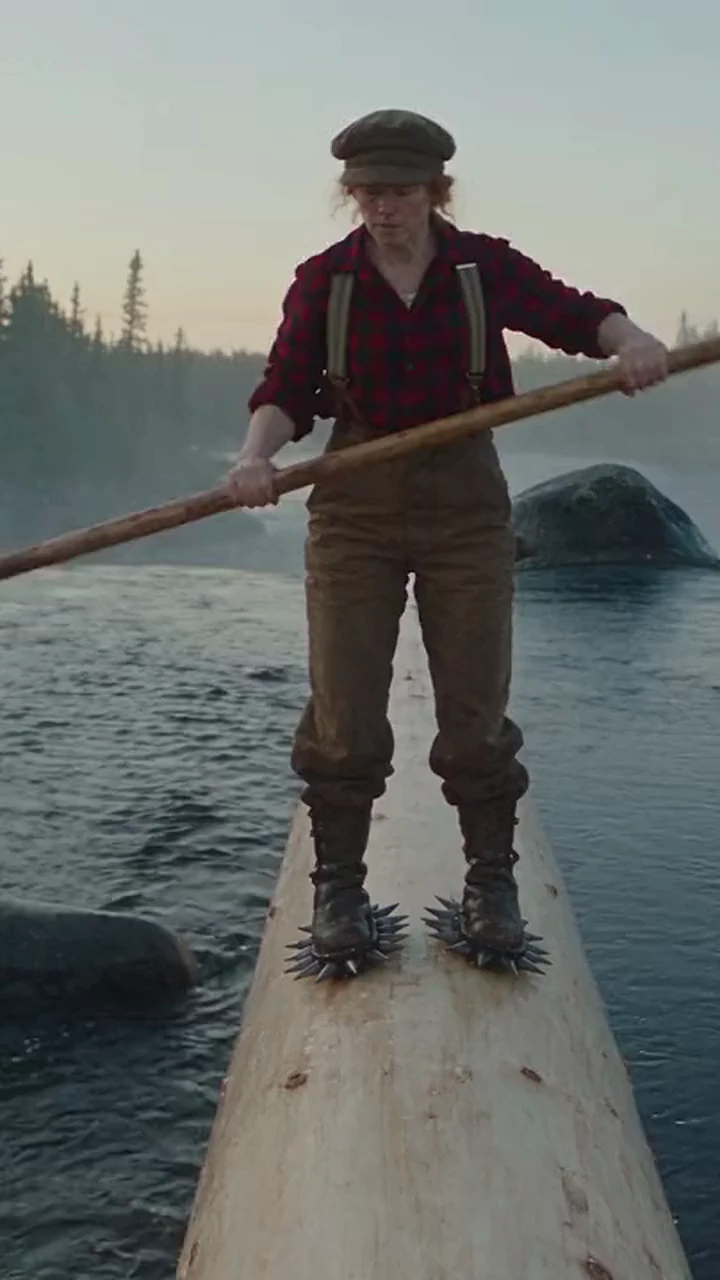
Upload a clip and one photo. Recast swaps the character and keeps the camera, cuts, and audio.
Try Recast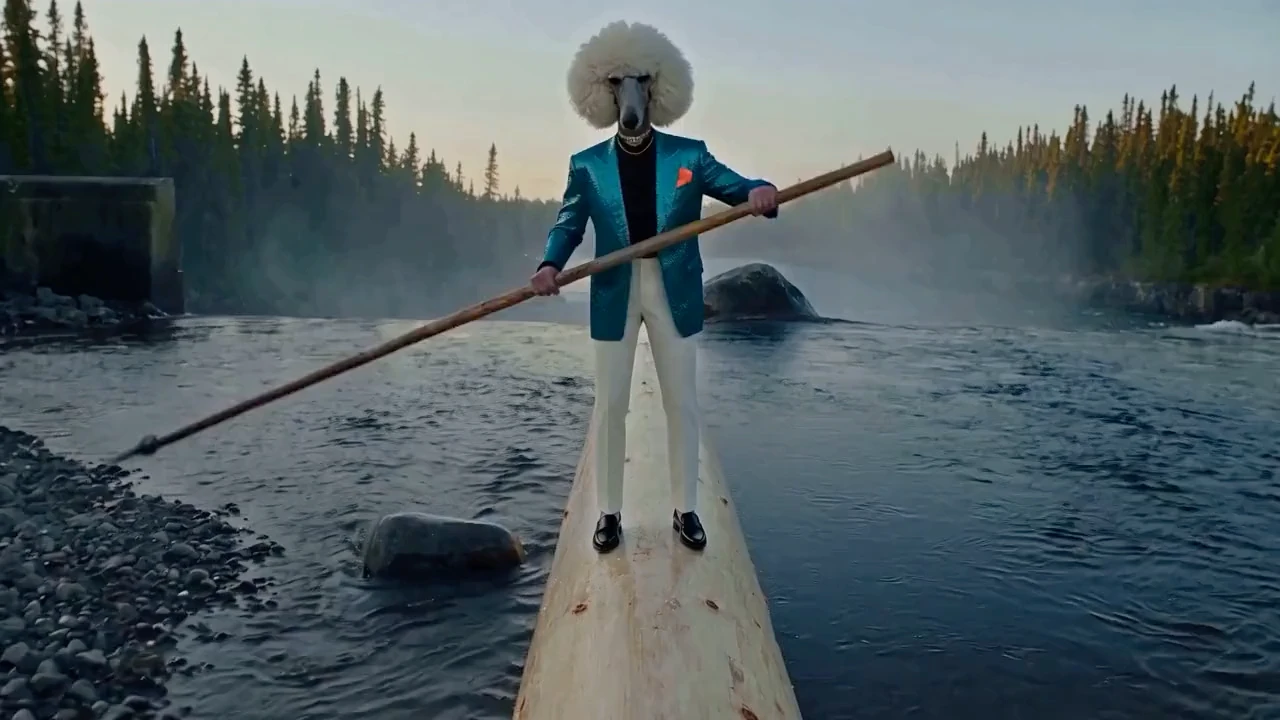
 OriginalRecast
Upload a clip and one photo. Recast swaps the character and keeps the camera, cuts, and audio.
Try RecastChange who’s in the shot, not the shot
Upload a clip and one photo. Recast swaps the character and keeps the camera, cuts, and audio.
Try RecastOriginalRecastUpload a clip and one photo. Recast swaps the character and keeps the camera, cuts, and audio.
Try RecastOriginalRecastUpload a clip and one photo. Recast swaps the character and keeps the camera, cuts, and audio.
Try RecastOriginalRecastOriginalRecastOriginalRecastOriginalRecastOriginalRecast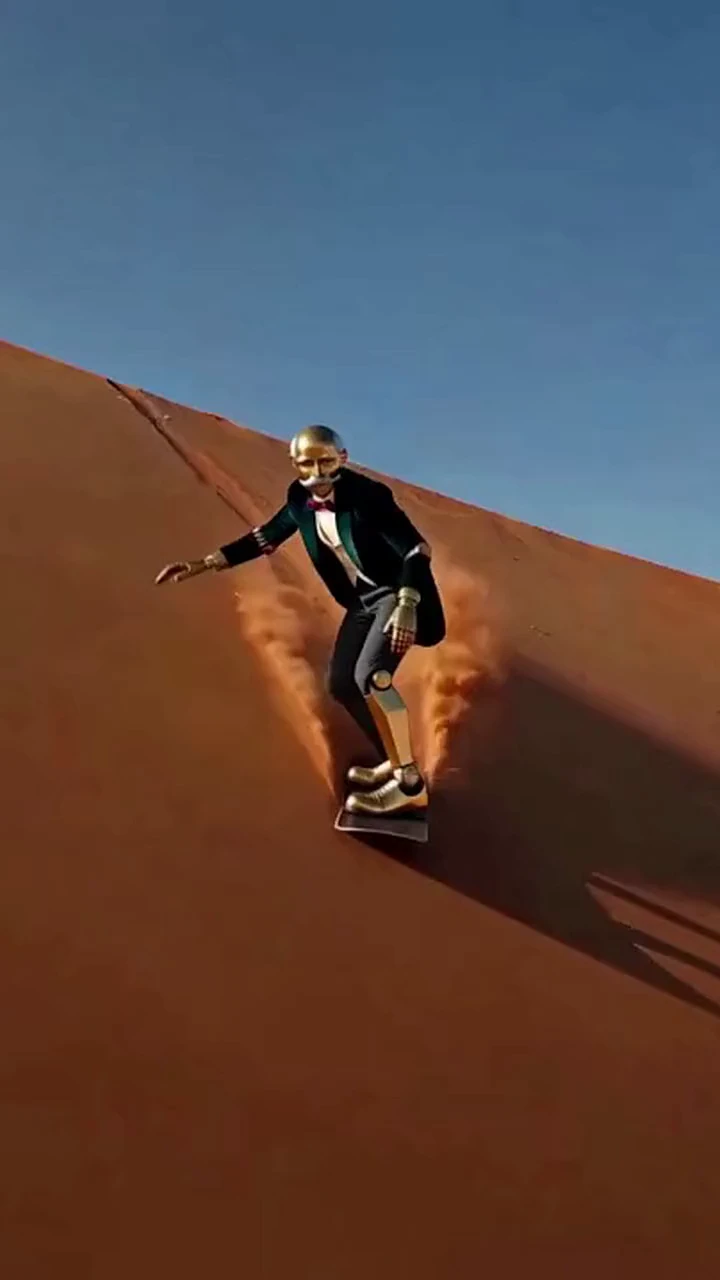
 OriginalRecast

 OriginalRecast

 OriginalRecast
Upload a clip and one photo. Recast swaps the character and keeps the camera, cuts, and audio.
Try Recast
 OriginalRecast
Upload a clip and one photo. Recast swaps the character and keeps the camera, cuts, and audio.
Try RecastChange who’s in the shot, not the shot
Upload a clip and one photo. Recast swaps the character and keeps the camera, cuts, and audio.
Try RecastOriginalRecastUpload a clip and one photo. Recast swaps the character and keeps the camera, cuts, and audio.
Try RecastOriginalRecastUpload a clip and one photo. Recast swaps the character and keeps the camera, cuts, and audio.
Try RecastOriginalRecastOriginalRecastOriginalRecastOriginalRecastOriginalRecastOriginalRecastOriginalRecastOriginalRecastUpload a clip and one photo. Recast swaps the character and keeps the camera, cuts, and audio.
Try RecastOriginalRecastUpload a clip and one photo. Recast swaps the character and keeps the camera, cuts, and audio.
Try RecastChange who’s in the shot, not the shot
Upload a clip and one photo. Recast swaps the character and keeps the camera, cuts, and audio.
Try RecastOriginalRecastUpload a clip and one photo. Recast swaps the character and keeps the camera, cuts, and audio.
Try RecastOriginalRecastUpload a clip and one photo. Recast swaps the character and keeps the camera, cuts, and audio.
Try RecastOriginalRecastOriginalRecastOriginalRecastOriginalRecastOriginalRecastOriginalRecastOriginalRecastOriginalRecastUpload a clip and one photo. Recast swaps the character and keeps the camera, cuts, and audio.
Try RecastOriginalRecastUpload a clip and one photo. Recast swaps the character and keeps the camera, cuts, and audio.
Try RecastChange who’s in the shot, not the shot
Upload a clip and one photo. Recast swaps the character and keeps the camera, cuts, and audio.
Try RecastOriginalRecastUpload a clip and one photo. Recast swaps the character and keeps the camera, cuts, and audio.
Try RecastOriginalRecastUpload a clip and one photo. Recast swaps the character and keeps the camera, cuts, and audio.
Try RecastOriginalRecastOriginalRecastOriginalRecastOriginalRecastOriginalRecastTrusted by the world’s leading creators and brands
" height="15.125px" id="u9A43tSUl" transform="translate(0 0.645)" width="49.99999733530967px"/></svg>)
" height="17.138968553080936px" id="nzLbLZeAi" transform="translate(0 0.02)" width="105.00000017424145px"/></svg>)
" width="54.99999658816466px"><path d="M 45.42 3.171 C 43.724 3.171 42.326 3.469 41.028 3.964 L 41.028 12.436 L 43.873 12.436 L 43.873 5.649 C 44.272 5.45 44.821 5.351 45.319 5.351 C 46.867 5.351 47.166 6.293 47.166 8.026 L 47.166 12.436 L 50.012 12.436 L 50.012 7.629 C 50.061 4.905 49.164 3.171 45.42 3.171 Z M 20.966 0 L 18.12 0 L 18.12 12.436 L 20.966 12.436 Z M 27.353 3.469 L 24.11 3.469 L 20.966 7.532 L 24.26 12.386 L 27.653 12.386 L 24.11 7.432 Z M 33.642 3.122 C 32.144 3.122 30.548 3.469 29.35 3.914 L 29.35 15.904 L 32.194 15.904 L 32.194 12.486 C 35.788 13.129 38.682 11.643 38.633 7.829 C 38.633 4.807 37.036 3.122 33.642 3.122 Z M 33.493 10.503 C 33.044 10.503 32.494 10.405 32.195 10.306 L 32.195 5.549 C 33.89 4.856 35.688 5.351 35.688 7.829 C 35.688 9.563 35.039 10.503 33.493 10.503 Z M 2.399 11.891 C 4.281 11.387 6.265 11.404 8.138 11.941 L 8.587 10.652 C 6.371 10.008 4.017 10.008 1.801 10.652 L 2.249 11.941 Z M 4.096 3.567 L 5.144 4.657 L 6.193 3.567 L 5.145 2.477 Z M 2.349 6.59 C 2.249 7.283 2.648 8.323 3.397 9.512 C 3.896 9.413 4.346 9.413 4.844 9.413 L 4.695 9.166 C 3.897 7.63 3.747 7.184 3.747 6.837 C 3.747 6.342 4.146 6.292 4.695 6.342 L 4.695 5.153 C 3.448 4.756 2.449 5.45 2.349 6.589 Z M 1.501 6.54 C 0.653 6.49 0.005 7.036 0.005 7.779 C -0.045 8.323 0.304 8.968 1.351 9.86 C 1.8 9.711 2.249 9.612 2.698 9.513 C 1.9 8.72 1.252 8.077 1.352 7.828 C 1.352 7.779 1.352 7.63 1.601 7.58 L 1.801 7.531 C 1.701 7.184 1.651 6.837 1.701 6.49 L 1.502 6.49 L 1.502 6.54 Z M 5.444 9.413 C 5.893 9.413 6.391 9.463 6.891 9.513 C 7.639 8.323 8.039 7.283 7.939 6.59 C 7.789 5.45 6.792 4.756 5.593 5.203 L 5.593 6.392 C 6.142 6.342 6.541 6.392 6.541 6.887 C 6.541 7.234 6.391 7.68 5.593 9.216 Z M 7.789 9.315 L 7.54 9.562 C 7.989 9.662 8.488 9.761 8.887 9.909 C 9.936 9.017 10.285 8.373 10.235 7.829 C 10.235 6.986 9.487 6.49 8.588 6.59 C 8.588 6.936 8.588 7.283 8.489 7.63 L 8.688 7.68 C 8.937 7.73 8.937 7.878 8.937 7.927 C 8.937 8.126 8.788 8.373 7.79 9.315 Z" fill="rgb(178, 178, 178)" height="15.903753838283087px" id="Jebq3TIew" transform="translate(4.986 3.491)" width="50.01355592959532px"/><path d="M 0.948 10.206 C 1.198 10.058 1.696 9.712 2.295 9.413 C 1.796 8.225 1.497 7.135 1.497 6.292 C 1.497 4.509 1.946 3.023 2.695 2.28 C 4.691 0.297 8.584 2.824 10.381 5.549 C 10.929 5.45 11.578 5.351 12.127 5.351 C 10.431 2.18 6.788 0 4.492 0 C 1.397 0 0 3.171 0 6.293 C 0 7.829 0.499 9.017 0.947 10.206 Z M 12.377 6.293 C 11.479 6.293 10.93 6.441 10.93 6.441 C 11.13 6.887 11.279 7.432 11.329 7.977 C 11.678 7.927 12.027 7.878 12.376 7.878 C 14.374 7.878 15.572 9.017 15.622 10.405 C 15.622 11.148 15.223 12.139 14.823 13.08 C 14.623 13.576 14.274 14.517 14.075 15.309 C 13.725 16.648 12.776 20.364 10.63 18.927 C 10.131 19.125 9.483 19.471 8.934 19.571 C 9.931 20.462 10.63 20.76 11.628 20.76 C 14.273 20.76 15.222 17.044 15.572 15.656 C 15.921 14.121 17.218 11.99 17.168 10.355 C 17.168 7.927 14.922 6.193 12.377 6.293 Z" fill="rgb(178, 178, 178)" height="20.759549394147705px" id="Re7dbchhY" transform="translate(2.493 0)" width="17.169714287560193px"/><path d="M 12.127 8.918 C 11.728 8.522 11.329 8.125 10.98 7.729 C 8.235 8.769 4.741 7.531 2.745 5.599 C 2.046 4.905 1.598 4.063 1.598 3.468 C 1.598 2.576 1.897 1.982 2.495 1.486 L 1.897 0 C 0.648 0.793 0 1.982 0 3.468 C 0 4.509 0.549 5.698 1.597 6.739 C 3.693 8.819 8.534 10.751 12.128 8.918 Z" fill="rgb(178, 178, 178)" height="9.651411996978387px" id="tJGKqb9mE" transform="translate(0 9.474)" width="12.12802089189222px"/></g></svg>)
" width="90.99999868644045px"><path d="M 7.623 2.03 C 10.784 1.207 13.668 0.67 15.755 0.167 C 15.855 0.143 15.833 -0.006 15.73 0 L 4.89 0.578 C 0.221 0.95 -0.634 2.786 0.38 4.204 L 2.215 6.772 C 2.268 6.848 2.387 6.809 2.389 6.717 C 2.405 4.754 3.595 3.081 7.625 2.03 L 7.624 2.03 Z" fill="rgb(178, 178, 178)" height="6.811912726257812px" id="KtxfjOJya" width="15.819967440164445px"/><path d="M 2.252 11.986 C 2.322 12.089 2.462 12.054 2.446 11.917 C 2.235 10.588 2.591 7.099 4.372 5.38 C 7.008 2.834 10.372 1.831 13.523 0.154 C 13.607 0.108 13.558 -0.021 13.464 0.003 C 11.272 0.552 5.533 2.071 3.598 2.862 C 1.35 3.781 -1.662 6.6 1.116 10.489 L 2.252 11.987 Z M 54.347 4.776 C 54.752 4.776 55.089 5.096 55.089 5.513 C 55.09 5.71 55.012 5.899 54.873 6.039 C 54.734 6.179 54.544 6.258 54.347 6.258 C 54.149 6.259 53.958 6.181 53.818 6.041 C 53.678 5.901 53.599 5.711 53.6 5.513 C 53.6 5.087 53.942 4.776 54.347 4.776 Z M 54.347 6.148 C 54.691 6.148 54.956 5.875 54.956 5.513 C 54.956 5.15 54.691 4.885 54.347 4.885 C 54.182 4.885 54.024 4.952 53.909 5.07 C 53.794 5.188 53.732 5.348 53.737 5.513 C 53.737 5.867 54 6.148 54.347 6.148 Z M 54.058 5.082 L 54.393 5.082 C 54.599 5.082 54.696 5.164 54.696 5.33 C 54.696 5.486 54.598 5.551 54.467 5.565 L 54.716 5.946 L 54.571 5.946 L 54.336 5.576 L 54.194 5.576 L 54.194 5.946 L 54.061 5.946 L 54.061 5.082 Z M 54.191 5.467 L 54.333 5.467 C 54.451 5.467 54.563 5.461 54.563 5.325 C 54.563 5.21 54.464 5.191 54.372 5.191 L 54.194 5.191 L 54.192 5.467 Z M 59.443 4.776 L 61.986 4.776 C 64.218 4.776 65.518 6.138 65.518 8.339 C 65.518 10.541 64.218 11.902 61.986 11.902 L 59.443 11.902 Z M 61.975 10.963 C 63.545 10.963 64.397 10.003 64.397 8.339 C 64.397 6.675 63.545 5.717 61.975 5.717 L 60.513 5.717 L 60.513 10.962 L 61.975 10.962 Z M 66.29 5.448 C 66.29 5.118 66.56 4.836 66.901 4.836 C 67.242 4.836 67.513 5.106 67.513 5.448 C 67.513 5.788 67.243 6.058 66.901 6.058 C 66.739 6.059 66.583 5.996 66.468 5.881 C 66.353 5.766 66.289 5.61 66.29 5.448 Z M 66.4 6.737 L 67.4 6.737 L 67.4 11.905 L 66.4 11.905 L 66.4 6.738 Z M 68.574 12.264 L 69.575 12.264 C 69.654 12.876 70.107 13.175 70.865 13.175 C 71.805 13.175 72.317 12.685 72.317 11.736 L 72.317 11.166 C 71.945 11.676 71.387 11.967 70.655 11.967 C 69.223 11.967 68.282 10.906 68.282 9.294 C 68.282 7.682 69.212 6.621 70.644 6.621 C 71.406 6.621 71.986 6.94 72.358 7.472 L 72.358 6.74 L 73.317 6.74 L 73.317 11.716 C 73.317 13.066 72.508 13.989 70.854 13.989 C 69.453 13.989 68.671 13.299 68.572 12.267 Z M 72.346 9.291 C 72.346 8.14 71.754 7.48 70.834 7.48 C 69.915 7.48 69.324 8.181 69.324 9.291 C 69.324 10.402 69.916 11.102 70.835 11.102 C 71.754 11.102 72.347 10.443 72.347 9.291 Z M 74.341 5.448 C 74.341 5.118 74.611 4.836 74.951 4.836 C 75.292 4.836 75.563 5.106 75.563 5.448 C 75.563 5.788 75.293 6.058 74.951 6.058 C 74.789 6.059 74.633 5.996 74.518 5.881 C 74.403 5.766 74.339 5.61 74.34 5.448 Z M 74.45 6.737 L 75.451 6.737 L 75.451 11.905 L 74.45 11.905 L 74.45 6.738 Z M 76.983 10.754 L 76.983 7.558 L 76.152 7.558 L 76.152 6.738 L 76.983 6.738 L 76.983 5.257 L 77.984 5.257 L 77.984 6.737 L 79.027 6.737 L 79.027 7.559 L 77.984 7.559 L 77.984 10.664 C 77.984 10.963 78.134 11.105 78.577 11.105 L 79.026 11.105 L 79.026 11.908 C 78.807 11.927 78.597 11.937 78.416 11.937 C 77.486 11.937 76.984 11.618 76.984 10.754 Z M 83.021 11.204 C 82.671 11.744 82.091 12.024 81.338 12.024 C 80.227 12.024 79.496 11.485 79.496 10.492 C 79.496 9.66 79.996 9.029 81.439 8.89 L 82.199 8.81 C 82.699 8.751 82.972 8.582 82.972 8.161 C 82.972 7.682 82.721 7.42 81.911 7.42 C 81.101 7.42 80.759 7.65 80.711 8.35 L 79.72 8.35 C 79.78 7.308 80.361 6.618 81.913 6.618 C 83.466 6.618 83.957 7.24 83.957 8.14 L 83.957 10.874 C 83.957 11.034 84.036 11.133 84.237 11.133 L 84.518 11.133 L 84.518 11.905 C 84.368 11.925 84.189 11.934 84.027 11.934 C 83.386 11.934 83.098 11.705 83.027 11.203 L 83.021 11.203 Z M 81.49 11.244 C 82.221 11.244 82.972 10.835 82.972 9.864 L 82.972 9.324 C 82.822 9.444 82.612 9.504 82.331 9.534 L 81.611 9.614 C 80.778 9.714 80.53 10.003 80.53 10.464 C 80.53 10.925 80.841 11.244 81.49 11.244 Z M 85.132 10.754 L 85.132 4.776 L 86.133 4.776 L 86.133 10.663 C 86.133 10.962 86.265 11.105 86.632 11.105 L 87.004 11.105 L 87.004 11.908 C 86.804 11.927 86.603 11.937 86.444 11.937 C 85.593 11.937 85.132 11.618 85.132 10.754 Z M 25.911 6.159 L 25.911 4.773 L 20.971 4.773 L 20.971 11.902 L 25.911 11.902 L 25.911 10.456 L 22.973 10.456 L 22.973 8.876 L 25.417 8.876 L 25.417 7.491 L 22.973 7.491 L 22.973 6.159 L 25.91 6.159 Z M 34.629 10.495 L 31.542 10.495 L 31.542 4.772 L 29.514 4.772 L 29.514 11.901 L 34.629 11.901 Z M 50.942 7.491 C 49.576 7.182 49.098 7.147 49.098 6.605 C 49.098 6.099 49.776 5.941 50.166 5.941 C 50.799 5.941 51.54 6.088 52.296 6.479 L 52.847 5.167 C 52.072 4.741 51.073 4.567 50.113 4.567 C 48.229 4.567 46.962 5.33 46.911 6.822 C 46.856 8.181 47.961 8.691 48.979 8.9 C 49.958 9.103 50.951 9.277 50.972 9.859 C 50.992 10.396 50.51 10.625 49.598 10.625 C 48.756 10.625 47.969 10.355 47.168 10.019 L 46.701 11.444 C 47.62 11.837 48.556 12.051 49.522 12.051 C 50.861 12.051 51.838 11.845 52.558 11.168 C 53.057 10.705 53.22 10.145 53.22 9.61 C 53.218 8.481 52.517 7.845 50.942 7.491 Z M 18.098 6.179 L 18.098 4.772 L 11.881 4.772 L 11.881 6.179 L 13.982 6.179 L 13.982 11.904 L 15.995 11.904 L 15.995 6.179 Z M 41.539 4.773 L 41.539 9.302 C 41.539 9.657 41.539 9.755 41.517 9.894 C 41.455 10.325 41.035 10.576 40.367 10.584 C 39.873 10.576 39.509 10.432 39.341 10.172 C 39.256 10.038 39.216 9.802 39.216 9.419 L 39.216 4.773 L 37.115 4.773 L 37.115 9.687 C 37.115 10.369 37.205 10.675 37.513 11.061 C 38.02 11.697 39.008 12.03 40.372 12.03 L 40.446 12.03 C 42.268 12.03 43.209 11.318 43.482 10.652 C 43.618 10.33 43.629 10.178 43.629 9.526 L 43.629 4.773 Z" fill="rgb(178, 178, 178)" height="13.988526275047676px" id="jmrJkC3Bs" transform="translate(3.996 0.5)" width="87.00383341086672px"/></g></svg>)
" height="21.000000626069923px" id="PglN45sGh" width="39.999999799384454px"/></svg>)
" height="28.50029720435704px" id="L52vAApJS" transform="translate(0.37 0)" width="24px"/></svg>)
" height="11.015999239816239px" id="U0k_CRMa4" transform="translate(0 0.365)" width="57.000000799495865px"/></svg>)
" height="12px" id="iaslaJxGM" transform="translate(0 -0.09)" width="55.00000303957556px"/></svg>)
" width="55.000005051816515px"><path d="M 15.501 0.357 L 17.595 0.357 L 21.155 6.798 L 24.716 0.357 L 26.764 0.357 L 26.764 10.94 L 25.056 10.94 L 25.056 2.829 L 21.932 8.446 L 20.332 8.446 L 17.209 2.829 L 17.209 10.94 L 15.501 10.94 Z M 32.275 11.13 C 31.484 11.13 30.789 10.955 30.19 10.605 C 29.595 10.26 29.11 9.756 28.787 9.149 C 28.452 8.53 28.284 7.819 28.284 7.018 C 28.284 6.207 28.448 5.488 28.776 4.864 C 29.086 4.258 29.559 3.75 30.14 3.397 C 30.722 3.045 31.392 2.868 32.148 2.868 C 32.898 2.868 33.545 3.046 34.086 3.401 C 34.628 3.757 35.045 4.254 35.337 4.894 C 35.629 5.534 35.775 6.285 35.775 7.147 L 35.775 7.615 L 29.977 7.615 C 30.084 8.259 30.345 8.768 30.76 9.138 C 31.176 9.509 31.702 9.694 32.336 9.694 C 32.845 9.694 33.283 9.618 33.651 9.467 C 34.019 9.316 34.364 9.087 34.687 8.779 L 35.593 9.89 C 34.692 10.717 33.586 11.13 32.275 11.13 Z M 33.524 4.852 C 33.165 4.488 32.696 4.304 32.117 4.304 C 31.553 4.304 31.081 4.491 30.7 4.864 C 30.32 5.236 30.079 5.738 29.977 6.368 L 34.135 6.368 C 34.084 5.724 33.881 5.217 33.523 4.852 Z M 37.847 4.456 L 36.275 4.456 L 36.275 3.057 L 37.847 3.057 L 37.847 0.745 L 39.495 0.745 L 39.495 3.057 L 41.884 3.057 L 41.884 4.456 L 39.495 4.456 L 39.495 8.001 C 39.495 8.591 39.596 9.011 39.797 9.263 C 39.998 9.515 40.345 9.641 40.834 9.641 C 41.018 9.643 41.202 9.634 41.384 9.614 C 41.535 9.597 41.702 9.574 41.884 9.544 L 41.884 10.926 C 41.438 11.053 40.978 11.116 40.515 11.115 C 38.736 11.115 37.847 10.143 37.847 8.197 Z M 50.47 10.942 L 48.853 10.942 L 48.853 9.837 C 48.566 10.249 48.2 10.569 47.756 10.793 C 47.313 11.017 46.81 11.129 46.245 11.129 C 45.55 11.129 44.934 10.951 44.397 10.596 C 43.851 10.23 43.414 9.724 43.131 9.13 C 42.824 8.507 42.67 7.795 42.67 6.994 C 42.67 6.189 42.826 5.475 43.139 4.855 C 43.451 4.236 43.884 3.749 44.435 3.396 C 44.987 3.044 45.62 2.867 46.336 2.867 C 46.875 2.867 47.359 2.972 47.787 3.181 C 48.209 3.385 48.576 3.69 48.854 4.069 L 48.854 3.057 L 50.47 3.057 L 50.47 10.941 Z M 48.822 5.816 C 48.659 5.385 48.368 5.014 47.987 4.754 C 47.598 4.492 47.137 4.356 46.668 4.365 C 45.964 4.365 45.401 4.601 44.983 5.075 C 44.564 5.549 44.356 6.189 44.356 6.995 C 44.356 7.806 44.557 8.45 44.96 8.923 C 45.363 9.396 45.91 9.633 46.601 9.633 C 47.109 9.633 47.563 9.503 47.962 9.241 C 48.359 8.979 48.646 8.626 48.822 8.182 Z M 0.038 0 L 0.022 0 L 0 1.82 L 0.015 1.82 C 1.213 1.82 2.142 2.764 4.161 6.166 L 4.284 6.373 L 4.292 6.386 L 5.424 4.691 L 5.416 4.678 C 5.15 4.245 4.894 3.847 4.65 3.484 C 4.39 3.096 4.116 2.718 3.829 2.35 C 2.492 0.648 1.375 0 0.038 0 Z" fill="rgb(178, 178, 178)" height="11.130257851082277px" id="PxTtBWlLb" transform="translate(4.53 0)" width="50.47019033166271px"/><path d="M 3.394 0 C 2.052 0.007 0.864 0.876 0.007 2.205 L 0 2.217 L 1.573 3.073 L 1.581 3.062 C 2.082 2.307 2.706 1.827 3.373 1.82 L 3.388 1.82 L 3.41 0 Z" fill="rgb(178, 178, 178)" height="3.0732276264468084px" id="FhxFfquWU" transform="translate(1.51 0)" width="3.4104471661976277px"/><path d="M 1.221 0 C 1.218 0.004 1.216 0.008 1.213 0.012 C 0.649 0.888 0.23 1.965 0.003 3.127 L 0 3.142 L 1.768 3.558 L 1.771 3.543 C 1.96 2.524 2.32 1.576 2.787 0.869 L 2.795 0.857 Z" fill="rgb(178, 178, 178)" height="3.558421113491491px" id="TbX66Y7lp" transform="translate(0 2.013)" width="2.795398990711874px"/><path d="M 1.96 0.416 L 0.191 0 L 0.188 0.015 C 0.064 0.658 0 1.312 0 1.967 L 1.814 2.13 C 1.813 2.086 1.812 2.043 1.812 1.999 C 1.813 1.473 1.862 0.948 1.957 0.431 Z" fill="rgb(178, 178, 178)" height="2.1300195406358924px" id="H5DM03d3b" transform="translate(0 5.536)" width="1.9598998325227512px"/><path d="M 1.869 0.743 C 1.837 0.556 1.818 0.367 1.814 0.177 L 1.814 0.161 L 0 0 L 0 0.015 C -0.002 0.401 0.033 0.786 0.103 1.166 L 1.871 0.758 Z" fill="rgb(178, 178, 178)" height="1.1656723194973608px" id="PaDsTrKkf" transform="translate(0 7.046)" width="1.8713877107215922px"/><path d="M 2.182 0.938 C 1.985 0.723 1.845 0.412 1.772 0.015 L 1.769 0 L 0 0.407 L 0.002 0.422 C 0.136 1.124 0.399 1.709 0.774 2.152 L 0.784 2.163 L 2.193 0.949 L 2.182 0.939 Z" fill="rgb(178, 178, 178)" height="2.1632381818651183px" id="p25kpcxk_" transform="translate(0 8.053)" width="2.193436946618931px"/><path d="M 6.651 2.58 C 5.584 4.216 4.939 5.241 4.939 5.241 C 3.518 7.468 3.026 7.967 2.236 7.967 C 1.922 7.976 1.62 7.847 1.408 7.614 L 0 8.827 L 0.01 8.839 C 0.528 9.443 1.261 9.779 2.166 9.779 C 3.536 9.779 4.522 9.133 6.273 6.071 L 7.506 3.893 C 7.195 3.39 6.912 2.956 6.651 2.58 Z M 8.55 0 C 8.257 0.316 7.983 0.649 7.729 0.997 C 7.994 1.333 8.265 1.71 8.55 2.131 C 8.884 1.614 9.198 1.195 9.505 0.874 L 9.515 0.864 Z" fill="rgb(178, 178, 178)" height="9.779366605948347px" id="hopsDaYQ2" transform="translate(1.007 1.51)" width="9.514624014288074px"/><path d="M 5.187 1.193 C 4.442 0.441 3.556 0 2.609 0 C 1.61 0 0.768 0.548 0.01 1.353 C 0.007 1.357 0.003 1.36 0 1.364 L 0.963 2.227 C 0.967 2.223 0.971 2.219 0.974 2.216 C 1.474 1.695 1.958 1.436 2.493 1.436 C 3.07 1.436 3.611 1.708 4.078 2.183 L 4.089 2.194 L 5.198 1.204 Z" fill="rgb(178, 178, 178)" height="2.2266555878481213px" id="WJDtTLptl" transform="translate(9.563 0)" width="5.198214039623508px"/><path d="M 3.258 5.853 C 3.217 3.441 2.373 1.284 1.12 0.01 L 1.109 0 L 0 0.991 L 0.011 1.002 C 0.953 1.97 1.601 3.771 1.659 5.852 L 1.659 5.868 L 3.259 5.868 L 3.259 5.854 Z" fill="rgb(178, 178, 178)" height="5.867619991666707px" id="JLySzWXyk" transform="translate(13.589 1.007)" width="3.2594533424289693px"/><path d="M 1.86 0.016 L 1.86 0 L 0.26 0 L 0.261 0.016 C 0.264 0.114 0.265 0.211 0.265 0.31 C 0.265 0.878 0.18 1.337 0.008 1.668 C 0.005 1.673 0.003 1.677 0 1.682 L 1.193 2.923 L 1.201 2.909 C 1.634 2.242 1.861 1.313 1.861 0.187 Z" fill="rgb(178, 178, 178)" height="2.923240428169507px" id="pEWeSQwbI" transform="translate(15.099 7.046)" width="1.861250534327155px"/><path d="M 0.647 0 L 0.64 0.015 C 0.49 0.294 0.278 0.48 0 0.562 L 0.544 2.275 C 0.636 2.244 0.726 2.207 0.814 2.164 L 0.849 2.148 C 1.208 1.969 1.512 1.705 1.758 1.364 L 1.802 1.301 L 1.832 1.255 L 1.842 1.242 Z" fill="rgb(178, 178, 178)" height="2.2749736114542287px" id="uu2MS9Zy_" transform="translate(14.093 8.556)" width="1.8421246499829067px"/><path d="M 1.056 0.098 C 0.884 0.102 0.714 0.068 0.557 0 L 0 1.755 C 0.312 1.861 0.646 1.91 1.019 1.91 C 1.361 1.91 1.676 1.859 1.962 1.759 L 1.418 0.047 C 1.301 0.082 1.179 0.099 1.056 0.098 Z" fill="rgb(178, 178, 178)" height="1.909568557933035px" id="Uw0wmb2NR" transform="translate(13.086 9.06)" width="1.9619130835062606px"/><path d="M 1.292 0.012 L 1.281 0 L 0 1.333 L 0.01 1.344 C 0.456 1.818 0.881 2.113 1.363 2.274 L 1.92 0.521 C 1.716 0.434 1.52 0.276 1.292 0.012 Z" fill="rgb(178, 178, 178)" height="2.27396698596246px" id="BPOKMabiN" transform="translate(11.576 8.556)" width="1.9196348128512px"/><path d="M 3.72 4.032 C 3.336 3.586 2.861 2.842 2.113 1.639 L 1.138 0.013 L 1.13 0 L 0 1.696 L 0.008 1.709 L 0.699 2.871 C 1.368 3.991 1.913 4.801 2.439 5.364 L 2.449 5.376 L 3.731 4.045 L 3.72 4.033 Z" fill="rgb(178, 178, 178)" height="5.376386751671276px" id="de_MYKnVC" transform="translate(9.06 4.53)" width="3.7305540725883475px"/></g></svg>)
" height="8.986999799544883px" id="eHFpw3Vgd" transform="translate(0 0.045)" width="83.0000008816005px"/></svg>)
" width="18.540776827856007px"><path d="M 4.132 0.17 C 3.695 0.606 3.277 1.418 3.135 2.1 C 3.042 2.543 3.025 2.815 3.042 3.572 C 3.067 4.659 3.185 8.039 3.289 10.699 C 3.371 12.797 3.16 14.497 2.651 15.887 C 2.457 16.41 2.297 16.724 2.13 16.916 C 1.652 17.468 1.242 18.076 0.911 18.727 C 0.362 19.825 0.074 20.978 0.02 22.288 L 0 22.739 L 0.824 22.734 L 1.648 22.725 L 1.665 22.313 C 1.709 21.692 1.801 21.076 1.939 20.469 C 2.169 19.539 2.57 18.7 3.135 17.951 C 3.371 17.643 3.969 17.034 4.19 16.883 L 4.326 16.79 L 4.65 17.103 C 5.706 18.121 6.442 19.391 6.742 20.706 C 6.84 21.144 6.955 21.971 6.974 22.39 L 6.991 22.74 L 7.806 22.734 L 8.621 22.725 L 8.613 22.368 C 8.591 21.299 8.367 20.244 7.952 19.259 C 7.588 18.426 7.102 17.653 6.51 16.963 C 6.429 16.871 6.36 16.769 6.306 16.66 C 6.254 16.527 6.201 16.395 6.146 16.264 C 5.787 15.408 5.521 14.332 5.404 13.245 C 5.294 12.252 5.281 11.434 5.344 9.902 C 5.367 9.357 5.412 8.149 5.443 7.219 C 5.473 6.288 5.518 4.97 5.543 4.291 C 5.591 2.949 5.577 2.612 5.468 2.102 C 5.308 1.381 4.935 0.655 4.487 0.19 L 4.303 0 Z" fill="rgb(178, 178, 178)" height="22.74025627242513px" id="dfO1W8aDh" transform="translate(5.005 0)" width="8.621195941985206px"/><path d="M 0.001 21.685 L 5.116 21.685 L 5.197 21.98 C 5.461 22.955 5.915 23.867 6.532 24.666 C 7.216 25.533 8.051 26.27 8.997 26.84 L 9.265 26.997 L 9.551 26.837 C 10.528 26.273 11.383 25.52 12.066 24.622 C 12.385 24.206 12.576 23.892 12.817 23.406 C 13.035 22.981 13.205 22.533 13.323 22.071 L 13.423 21.685 L 18.541 21.685 L 18.541 0 L 18.485 0 C 18.306 0 17.471 0.562 16.838 1.111 C 15.897 1.926 15.026 3.079 14.465 4.25 C 13.937 5.353 13.592 6.624 13.46 7.967 C 13.383 8.785 13.294 9.601 13.192 10.416 C 13.082 11.297 12.985 12.136 12.889 13.047 L 12.839 13.534 L 13.149 13.544 C 13.499 13.559 13.671 13.609 13.954 13.777 C 14.51 14.109 14.816 14.677 14.732 15.21 C 14.657 15.681 14.328 16.061 13.701 16.401 C 13.637 16.438 13.589 16.482 13.595 16.496 C 13.674 16.674 13.881 17.426 13.951 17.77 C 13.967 17.866 13.993 17.943 14.004 17.943 C 14.049 17.943 14.53 17.742 14.676 17.663 C 15.339 17.293 15.807 16.787 16.067 16.154 C 16.239 15.744 16.283 15.5 16.286 14.998 C 16.286 14.45 16.239 14.239 16.009 13.774 C 15.761 13.262 15.374 12.831 14.892 12.529 C 14.685 12.395 14.604 12.326 14.576 12.257 C 14.539 12.175 14.551 12.057 14.676 11.058 C 14.819 9.919 14.92 9.016 14.998 8.242 C 15.021 8.001 15.068 7.648 15.098 7.458 C 15.275 6.371 15.735 5.107 16.28 4.21 C 16.477 3.889 16.939 3.192 16.958 3.192 C 16.967 3.192 16.972 7.043 16.972 11.752 L 16.972 20.31 L 10.672 20.31 L 10.672 21.685 L 11.185 21.685 C 11.467 21.685 11.705 21.694 11.713 21.702 C 11.74 21.727 11.579 22.288 11.456 22.613 C 11.204 23.257 10.846 23.855 10.397 24.382 C 10.307 24.49 10.213 24.595 10.115 24.696 L 10.056 24.748 L 10.062 22.357 L 10.07 19.965 L 10.165 19.775 C 10.342 19.421 10.739 19.118 11.213 18.972 C 11.341 18.933 11.372 18.912 11.372 18.865 C 11.372 18.65 11.193 17.596 11.148 17.547 C 11.12 17.519 10.798 17.621 10.585 17.726 C 10.372 17.83 9.911 18.138 9.557 18.408 L 9.269 18.631 L 8.942 18.378 C 8.571 18.094 8.182 17.836 7.955 17.723 C 7.742 17.618 7.423 17.519 7.395 17.547 C 7.351 17.594 7.149 18.766 7.165 18.898 C 7.165 18.906 7.264 18.95 7.381 18.991 C 7.871 19.167 8.208 19.432 8.378 19.776 L 8.473 19.966 L 8.479 22.346 L 8.487 24.726 L 8.303 24.539 C 7.966 24.195 7.58 23.642 7.328 23.15 C 7.116 22.731 6.776 21.751 6.829 21.702 C 6.838 21.694 7.076 21.685 7.359 21.685 L 7.871 21.685 L 7.871 20.31 L 1.569 20.31 L 1.569 11.751 C 1.569 7.043 1.575 3.192 1.58 3.192 C 1.597 3.192 2.059 3.897 2.269 4.239 C 2.664 4.879 3.058 5.845 3.277 6.701 C 3.404 7.194 3.49 7.76 3.585 8.696 C 3.633 9.159 3.734 10.042 3.812 10.664 C 3.89 11.283 3.96 11.897 3.966 12.026 C 3.983 12.31 3.983 12.31 3.613 12.551 C 2.672 13.165 2.121 14.25 2.241 15.251 C 2.39 16.515 3.092 17.401 4.308 17.86 C 4.383 17.892 4.46 17.919 4.538 17.943 C 4.566 17.874 4.583 17.802 4.591 17.728 C 4.675 17.301 4.788 16.88 4.929 16.469 C 4.854 16.417 4.777 16.369 4.699 16.322 C 4.041 15.932 3.79 15.566 3.798 15.012 C 3.804 14.602 3.946 14.307 4.272 14.013 C 4.636 13.689 4.929 13.564 5.386 13.545 C 5.658 13.534 5.686 13.528 5.686 13.482 C 5.686 13.374 5.484 11.575 5.364 10.595 C 5.21 9.34 5.165 8.95 5.111 8.325 C 5.005 7.144 4.84 6.308 4.524 5.381 C 3.859 3.384 2.57 1.655 0.846 0.448 C 0.505 0.209 0.143 0 0.065 0 L 0 0 L 0 21.685 Z" fill="rgb(178, 178, 178)" height="26.99679658191412px" id="iVMhrUxp0" transform="translate(0 3.003)" width="18.540776827856007px"/></g></svg>)
" height="18px" id="SYJvIx2T4" width="66.9999981498087px"/></svg>)
" width="69.000002597214px"><path d="M 53.328 10.808 C 53.22 10.808 53.145 10.721 53.145 10.611 L 53.145 5.729 C 53.145 5.62 53.232 5.534 53.328 5.534 L 53.863 5.534 C 53.97 5.534 54.046 5.621 54.046 5.729 L 54.046 6.007 C 54.12 5.897 54.465 5.493 55.257 5.493 C 55.871 5.493 56.324 5.735 56.651 6.249 C 56.651 6.249 57.047 5.505 58.201 5.493 C 59.359 5.482 60.025 6.168 60.025 7.482 L 60.025 10.606 C 60.025 10.715 59.939 10.802 59.842 10.802 L 59.268 10.802 C 59.158 10.802 59.085 10.715 59.085 10.606 L 59.085 7.591 C 59.085 6.784 58.751 6.335 58.045 6.335 C 57.368 6.335 57.041 6.848 57.041 7.798 L 57.041 10.606 C 57.041 10.715 56.955 10.802 56.857 10.802 L 56.289 10.802 C 56.18 10.802 56.105 10.715 56.105 10.606 L 56.105 7.591 C 56.105 6.784 55.79 6.335 55.118 6.335 C 54.407 6.335 54.069 6.848 54.069 7.798 L 54.069 10.606 C 54.069 10.715 53.982 10.802 53.886 10.802 L 53.328 10.802 L 53.328 10.807 Z M 49.903 10.018 C 50.849 10.018 51.555 9.286 51.555 8.162 C 51.555 7.038 50.849 6.318 49.903 6.318 C 48.956 6.318 48.238 7.038 48.238 8.162 C 48.238 9.286 48.956 10.017 49.903 10.017 Z M 49.903 10.86 C 48.433 10.86 47.343 9.741 47.343 8.162 C 47.343 6.6 48.433 5.476 49.903 5.476 C 51.372 5.476 52.45 6.583 52.45 8.162 C 52.45 9.735 51.372 10.86 49.903 10.86 Z M 45.524 10.871 C 43.906 10.871 42.89 9.747 42.89 8.173 C 42.89 6.6 43.906 5.488 45.524 5.488 C 46.012 5.488 46.448 5.586 46.821 5.793 C 46.884 5.828 46.93 5.903 46.93 5.978 L 46.93 6.72 C 46.93 6.83 46.798 6.888 46.723 6.807 C 46.402 6.473 45.972 6.318 45.512 6.318 C 44.479 6.318 43.848 7.026 43.848 8.162 C 43.848 9.297 44.479 10.017 45.513 10.017 C 45.972 10.017 46.408 9.874 46.735 9.539 C 46.77 9.504 46.822 9.495 46.867 9.514 C 46.912 9.533 46.942 9.577 46.941 9.626 L 46.941 10.369 C 46.941 10.444 46.889 10.519 46.832 10.554 C 46.43 10.768 45.98 10.877 45.524 10.871 Z M 42.087 10.848 C 41.919 10.849 41.757 10.783 41.638 10.663 C 41.519 10.544 41.453 10.382 41.455 10.214 C 41.455 9.851 41.748 9.579 42.086 9.579 C 42.425 9.579 42.694 9.834 42.694 10.214 C 42.7 10.379 42.639 10.54 42.524 10.659 C 42.41 10.779 42.252 10.847 42.086 10.848 Z M 37.524 10.871 C 36.273 10.871 35.228 10.686 34.443 10.249 C 34.333 10.185 34.293 10.023 34.345 9.908 L 34.902 8.686 C 34.935 8.622 34.993 8.573 35.062 8.553 C 35.132 8.532 35.206 8.541 35.269 8.576 C 35.987 8.969 36.738 9.09 37.623 9.09 C 38.701 9.09 39.102 8.796 39.102 8.346 C 39.102 7.015 34.224 8.37 34.224 5.136 C 34.224 3.597 35.607 2.513 37.961 2.513 C 38.965 2.513 39.998 2.744 40.767 3.125 C 40.886 3.187 40.944 3.344 40.886 3.465 L 40.33 4.669 C 40.3 4.732 40.246 4.78 40.181 4.803 C 40.115 4.825 40.043 4.821 39.981 4.79 C 39.263 4.439 38.632 4.294 37.967 4.294 C 36.922 4.294 36.463 4.623 36.463 5.049 C 36.463 6.438 41.34 5.096 41.34 8.294 C 41.335 9.81 39.94 10.871 37.524 10.871 Z M 30.053 10.871 C 28.802 10.871 27.758 10.686 26.972 10.249 C 26.862 10.185 26.822 10.023 26.873 9.908 L 27.43 8.686 C 27.463 8.622 27.521 8.573 27.591 8.553 C 27.66 8.532 27.735 8.541 27.797 8.576 C 28.515 8.969 29.266 9.09 30.151 9.09 C 31.229 9.09 31.631 8.796 31.631 8.346 C 31.631 7.015 26.753 8.37 26.753 5.136 C 26.753 3.597 28.136 2.513 30.489 2.513 C 31.493 2.513 32.526 2.744 33.295 3.125 C 33.416 3.187 33.472 3.344 33.416 3.465 L 32.859 4.669 C 32.829 4.732 32.775 4.78 32.709 4.803 C 32.644 4.826 32.571 4.821 32.509 4.79 C 31.791 4.439 31.16 4.294 30.495 4.294 C 29.45 4.294 28.991 4.623 28.991 5.049 C 28.991 6.438 33.869 5.096 33.869 8.294 C 33.863 9.81 32.468 10.871 30.053 10.871 Z M 20.458 5.966 L 23.855 5.966 C 23.769 4.957 23.212 4.283 22.179 4.283 C 21.152 4.283 20.532 4.929 20.458 5.966 Z M 22.489 10.86 C 19.965 10.86 18.18 9.332 18.18 6.675 C 18.18 4.248 19.7 2.502 22.156 2.502 C 24.538 2.502 26.002 4.098 26.002 6.698 C 26.002 6.819 25.99 6.987 25.979 7.124 C 25.967 7.245 25.881 7.332 25.76 7.332 L 20.469 7.332 C 20.579 8.317 21.377 9.067 22.811 9.067 C 23.396 9.067 23.952 8.94 24.739 8.554 C 24.871 8.484 25.043 8.53 25.106 8.664 L 25.662 9.88 C 25.725 10.006 25.676 10.158 25.553 10.226 C 24.837 10.628 23.688 10.86 22.489 10.86 Z M 9.893 10.738 C 9.819 10.74 9.747 10.712 9.694 10.66 C 9.641 10.608 9.611 10.536 9.612 10.462 L 9.612 0.283 C 9.612 0.122 9.731 0 9.893 0 L 11.678 0 C 11.838 0 11.959 0.122 11.959 0.283 L 11.959 3.292 C 12.567 2.698 13.136 2.502 14.168 2.502 C 16.085 2.502 17.192 3.626 17.192 6.087 L 17.192 10.455 C 17.192 10.611 17.073 10.732 16.911 10.732 L 15.126 10.732 C 15.052 10.734 14.98 10.706 14.927 10.654 C 14.874 10.602 14.844 10.53 14.845 10.456 L 14.845 6.456 C 14.845 5.136 14.466 4.537 13.56 4.537 C 12.482 4.537 11.959 5.235 11.959 6.72 L 11.959 10.456 C 11.96 10.53 11.931 10.602 11.877 10.654 C 11.824 10.706 11.752 10.734 11.678 10.732 L 9.893 10.732 Z M 5.681 10.894 C 2.427 10.894 0 8.611 0 5.441 C 0 2.272 2.439 -0.01 5.704 0 C 6.639 -0.01 7.506 0.168 8.252 0.514 C 8.378 0.575 8.458 0.703 8.458 0.843 L 8.458 2.6 C 8.458 2.853 8.154 2.986 7.96 2.83 C 7.355 2.334 6.595 2.066 5.813 2.076 C 3.845 2.076 2.45 3.471 2.45 5.453 C 2.45 7.441 3.845 8.831 5.813 8.831 C 6.628 8.831 7.334 8.577 7.954 8.053 C 8.042 7.976 8.166 7.958 8.272 8.006 C 8.379 8.055 8.447 8.16 8.447 8.277 L 8.447 10.046 C 8.447 10.179 8.36 10.305 8.241 10.363 C 7.506 10.709 6.628 10.894 5.681 10.894 Z" fill="rgb(178, 178, 178)" height="10.893691587115052px" id="AKiaNy10U" transform="translate(8.975 4.986)" width="60.025364611984514px"/><path d="M 5.561 18.906 L 7.185 18.906 C 12.591 18.809 12.745 17.748 12.745 17.673 C 12.747 17.337 12.723 17.002 12.671 16.671 C 9.79 15.933 7.724 13.345 7.724 10.331 C 7.724 8.728 8.206 7.281 9.245 6.071 L 8.166 5.357 C 8.965 4.776 9.436 3.848 9.435 2.861 C 9.435 1.569 8.643 0.458 7.518 0.002 C 7.162 -0.142 4.66 8.135 4.66 8.135 C 4.648 8.324 4.648 8.573 4.648 8.873 C 4.648 9.696 6.657 9.57 6.548 10.296 C 6.388 11.38 6.353 12.209 5.423 14.814 C 4.798 16.578 0.615 14.814 0.316 15.679 C 0.101 16.321 -0.006 16.995 0 17.673 C 0 17.748 0.155 18.809 5.561 18.906 Z" fill="rgb(178, 178, 178)" height="18.906420928614263px" id="eTFBlokVH" width="12.745396072812659px"/><path d="M 5.974 14.921 C 6.318 13.342 6.622 11.659 6.812 10.65 C 7.041 9.393 5.147 9.169 4.367 9.054 C 4.333 10.125 4.035 11.872 1.492 13.821 C 0.809 14.344 0.298 15.094 0 16.005 C 0.688 16.339 1.601 16.54 3.012 16.54 C 3.92 16.54 5.595 16.65 5.974 14.921 Z M 7.305 8.356 C 7.605 7.573 7.57 7.042 7.57 7.042 L 6.318 5.578 C 7.649 5.008 8.452 3.93 8.452 2.679 C 8.452 1.682 7.976 0.789 7.248 0.229 C 6.882 0.079 6.49 0.002 6.095 0 C 5.28 0.002 4.498 0.327 3.923 0.905 C 3.348 1.483 3.027 2.266 3.029 3.081 C 3.029 4.108 3.529 5.018 4.298 5.577 L 2.089 7.042 C 2.089 7.532 2.204 7.93 2.433 8.356 Z" fill="rgb(178, 178, 178)" height="16.541646646444306px" id="Pk5mgc86w" transform="translate(0.499 0)" width="8.452113568936511px"/><path d="M 1.936 0.02 C 3.704 0.296 1.122 2.36 0.307 2.261 C -0.468 2.163 0.278 -0.24 1.936 0.02 Z" fill="rgb(178, 178, 178)" height="2.2646445059052365px" id="mPJVhDEzZ" transform="translate(4.487 0.499)" width="2.542403994485494px"/></g></svg>)
" width="20.00000040888358px"><path d="M 20 0 L 15.073 0 L 15.073 5.109 L 20 5.109 Z M 4.927 0 L 0 0 L 0 5.109 L 4.927 5.109 Z" fill="rgb(178, 178, 178)" height="5.109375px" id="VIfu3Cg00" transform="translate(0 11.328)" width="20.00000040888358px"/><path d="M 11.533 1.211 L 12.118 1.211 C 15.893 1.211 17.653 3.263 18.388 8.737 L 19.558 8.684 L 19.402 0 L 0.188 0 L 0 8.684 L 1.125 8.737 C 1.32 6.684 1.554 5.579 2.061 4.473 C 2.957 2.422 4.828 1.211 7.128 1.211 L 7.946 1.211 L 7.946 20.105 C 7.946 22.105 7.829 22.737 7.362 23.211 C 6.972 23.579 6.192 23.737 5.295 23.737 L 4.4 23.737 L 4.4 25 L 15.082 25 L 15.082 23.737 L 14.179 23.737 C 13.288 23.737 12.502 23.579 12.118 23.211 C 11.651 22.737 11.534 22.105 11.534 20.105 L 11.534 1.211" fill="rgb(178, 178, 178)" height="25px" id="DRA_Imgdu" transform="translate(0.385 0)" width="19.557692824200046px"/></g></svg>)
" height="12px" id="qofetpUYy" transform="translate(0 4)" width="55.000000349530865px"/></svg>)
" height="14.360000700584678px" id="g_m4h02ju" transform="translate(0 0.545)" width="47.99999951866312px"/></svg>)
creators and enterprises use ElevenLabs
creative models in one place
tool for the full creative process
Trusted by the world’s leading creators and brands
creators and enterprises use ElevenLabs
creative models in one place
tool for the full creative process
Trusted by the world’s leading creators and brands
creators and enterprises use ElevenLabs
creative models in one place
tool for the full creative process
How Recast works
1
Upload your clip
Start with a video you already have. Recast works best with one clear main character and holds up through camera moves and cuts.
2
Add a reference photo
One photo of the new character is all Recast needs. No prompt to write. Only use a real person’s likeness with their permission, and only characters you have the rights to.
3
Generate
Recast swaps the character. The rest stays as it was.
4
Try another character
Run the same clip with a different photo to compare casting or make a series.
How Recast works
1
Upload your clip
Start with a video you already have. Recast works best with one clear main character and holds up through camera moves and cuts.
2
Add a reference photo
One photo of the new character is all Recast needs. No prompt to write. Only use a real person’s likeness with their permission, and only characters you have the rights to.
3
Generate
Recast swaps the character. The rest stays as it was.
4
Try another character
Run the same clip with a different photo to compare casting or make a series.
How Recast works
1
Upload your clip
Start with a video you already have. Recast works best with one clear main character and holds up through camera moves and cuts.
2
Add a reference photo
One photo of the new character is all Recast needs. No prompt to write. Only use a real person’s likeness with their permission, and only characters you have the rights to.
3
Generate
Recast swaps the character. The rest stays as it was.
4
Try another character
Run the same clip with a different photo to compare casting or make a series.
Only the character changes
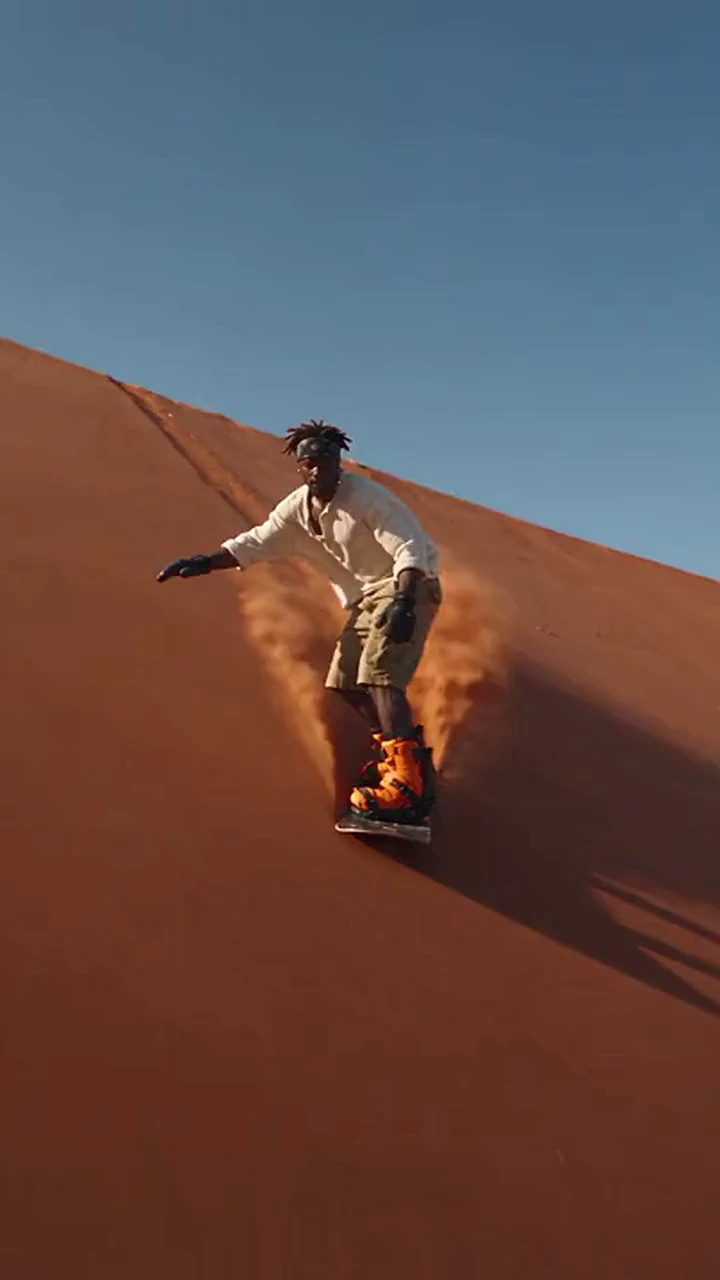
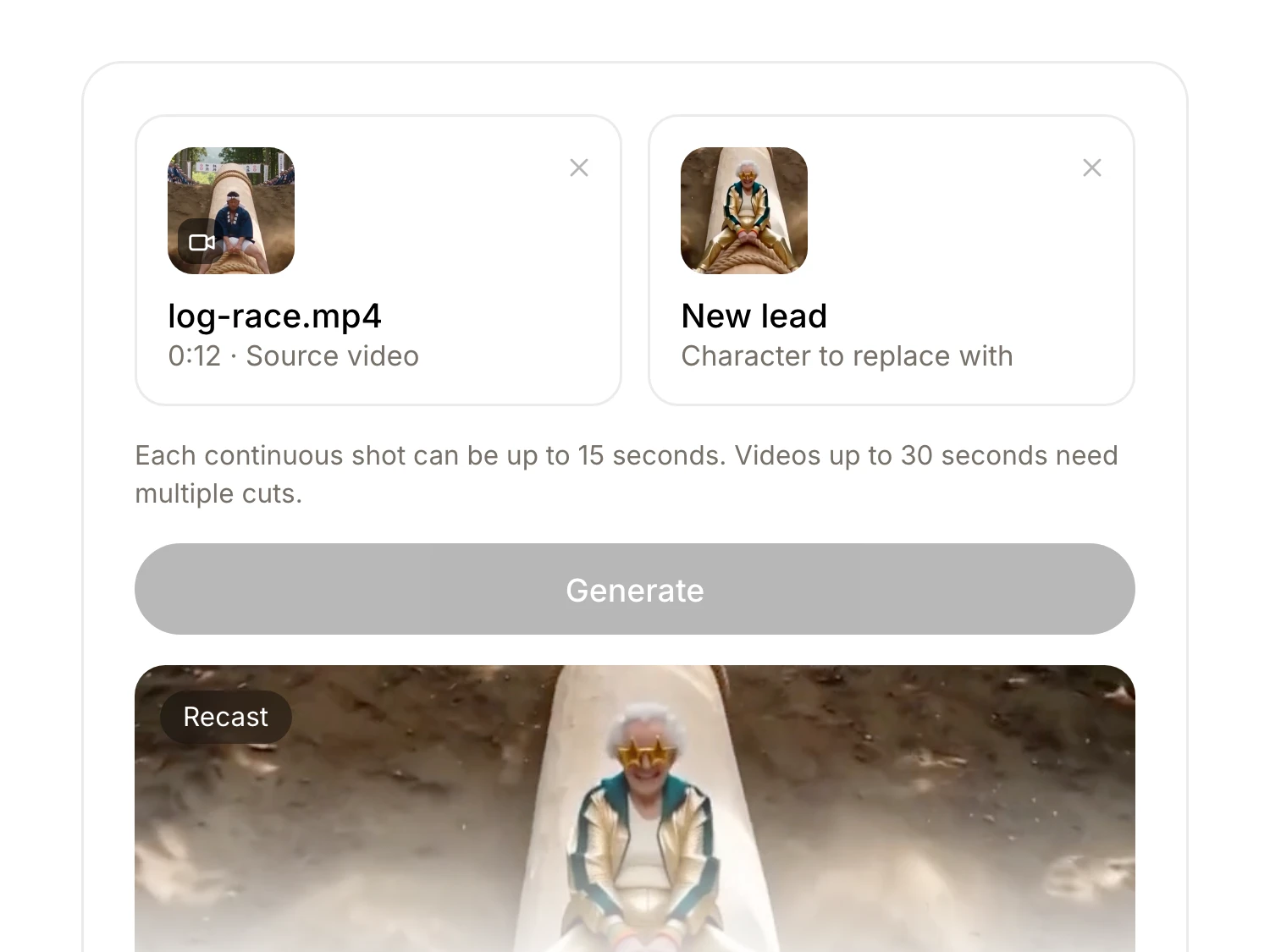
Recast changes one thing: who is in the shot. The lighting, composition, motion, camera moves, cuts, and original audio all stay exactly as they were. Nothing else moves.
No reshoot required
The clip you already have is the clip you need. Swap the lead after the wrap, fix continuity, or test a casting idea.
One performance, many characters
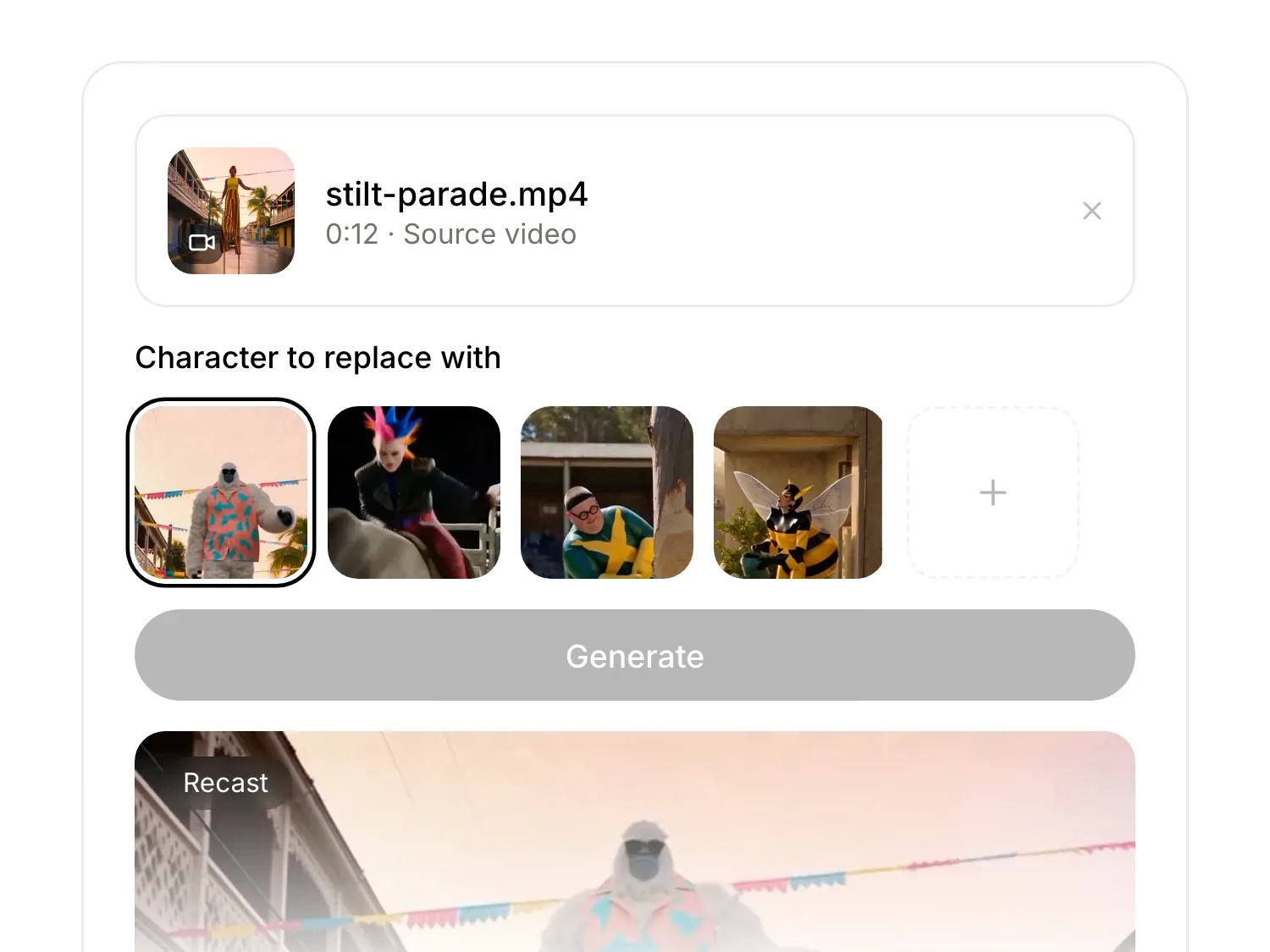
Run the same clip with different characters to test versions, make a series, or put your own character into a moment you already have on video.
Only the character changes
Recast changes one thing: who is in the shot. The lighting, composition, motion, camera moves, cuts, and original audio all stay exactly as they were. Nothing else moves.
No reshoot required
The clip you already have is the clip you need. Swap the lead after the wrap, fix continuity, or test a casting idea.
One performance, many characters
Run the same clip with different characters to test versions, make a series, or put your own character into a moment you already have on video.
Only the character changes
Recast changes one thing: who is in the shot. The lighting, composition, motion, camera moves, cuts, and original audio all stay exactly as they were. Nothing else moves.
No reshoot required
The clip you already have is the clip you need. Swap the lead after the wrap, fix continuity, or test a casting idea.
One performance, many characters
Run the same clip with different characters to test versions, make a series, or put your own character into a moment you already have on video.
Built for the footage you already have

Creators & influencers
Put yourself or a new face in a clip and keep the timing.
Before-and-after reveals
Duet-ready comparisons
Same cut, your audio
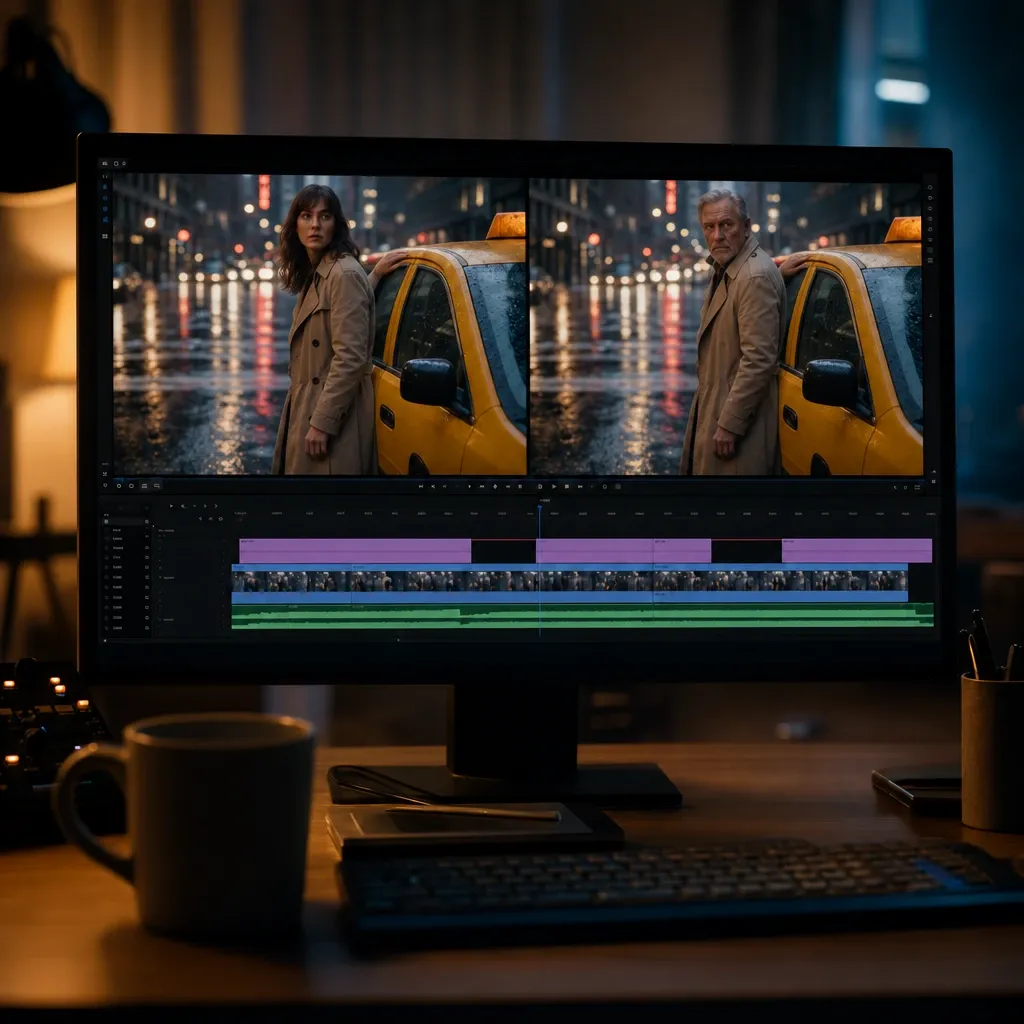
Video editors
Fix casting and continuity in post, not with a reshoot.
Casting tests off one take
Continuity fixes, no pickups
" transform="translate(2 3)" width="12.333999633789062px"/></svg>)
Camera moves and cuts stay put
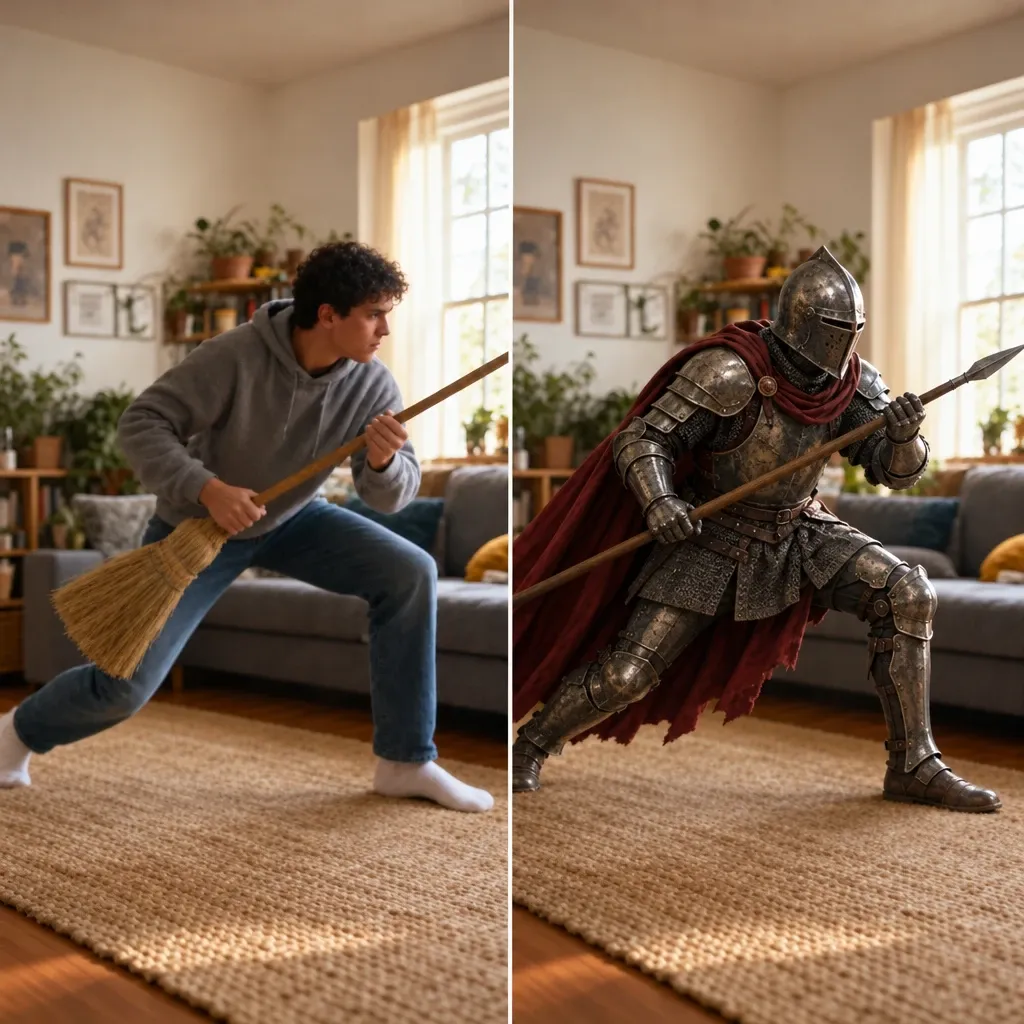
Filmmakers
Act out the scene yourself, then recast the character.
" height="12.367110443115255px" id="BZm_8MJKT" transform="translate(8.738 1.566)" width="5.093333399030801px"/><path d="M 4.353 0 C 3.784 0.116 3.277 0.422 2.913 0.868 C 2.548 1.315 2.353 1.874 2.353 2.45 C 2.353 3.026 2.548 3.585 2.913 4.031 C 3.277 4.477 3.784 4.784 4.353 4.9 M 4.353 11.616 L 1.713 11.616 C 0.539 11.616 -0.403 10.563 0.175 9.536 C 1.01 8.047 2.557 6.972 4.353 6.972" fill="transparent" height="11.615999677446073px" id="owMVFRcqU" stroke-dasharray="" stroke-linecap="round" stroke-linejoin="round" stroke-width="1.33" stroke="rgb(0, 0, 0)" transform="translate(3.15 1.884)" width="4.352626800537109px"/><path d="M 0.498 1 C 0.631 1 0.756 0.948 0.853 0.853 C 0.942 0.76 0.996 0.633 0.996 0.5 C 0.996 0.367 0.942 0.24 0.853 0.147 C 0.756 0.052 0.631 0 0.498 0 C 0.364 0 0.24 0.052 0.142 0.147 C 0.053 0.24 0 0.367 0 0.5 C 0 0.632 0.053 0.759 0.142 0.852 C 0.24 0.947 0.364 1 0.498 1 Z" fill="rgb(0, 0, 0)" height="1px" id="XFp61gp5p" transform="translate(12.836 12.834)" width="1px"/></svg>)
You as the stand-in, any character
" transform="translate(2 2)" width="12.334px"/></svg>)
Previz before you cast
Your blocking and timing kept

Marketers & ad teams
Test new on-camera talent without recutting the spot.
Regional talent variants, one base ad
Casting options, same day
Edit, music, and VO timing kept
Built for the footage you already have
Creators & influencers
Put yourself or a new face in a clip and keep the timing.
Before-and-after reveals
Duet-ready comparisons
Same cut, your audio
Video editors
Fix casting and continuity in post, not with a reshoot.
Casting tests off one take
Continuity fixes, no pickups
Camera moves and cuts stay put
Filmmakers
Act out the scene yourself, then recast the character.
You as the stand-in, any character
Previz before you cast
Your blocking and timing kept
Marketers & ad teams
Test new on-camera talent without recutting the spot.
Regional talent variants, one base ad
Casting options, same day
Edit, music, and VO timing kept
Built for the footage you already have
Creators & influencers
Put yourself or a new face in a clip and keep the timing.
Before-and-after reveals
Duet-ready comparisons
Same cut, your audio
Video editors
Fix casting and continuity in post, not with a reshoot.
Casting tests off one take
Continuity fixes, no pickups
Camera moves and cuts stay put
Filmmakers
Act out the scene yourself, then recast the character.
You as the stand-in, any character
Previz before you cast
Your blocking and timing kept
Marketers & ad teams
Test new on-camera talent without recutting the spot.
Regional talent variants, one base ad
Casting options, same day
Edit, music, and VO timing kept

Loved by top creators and global brands
The audio and video generations are super realistic and the tool itself is built very cleanly... very easy to use. We run a lot of ads, so we need the outputs fast.

Milan S.
Verified G2 review
The nodes for video, image, voice, and sfx generation are awesome. It allows me to create animations in a short period of time - all in a single app.

Barry H.
Verified G2 review
Everything I need is in one place. I could easily switch between voice and video creation and bundle them into one flow.

Arkadiusz P.
Verified G2 review
Adding voice to my videos and avatars... the videos market the product.

Mahendra F.
Verified G2 review
It's basically: write script → generate audio → drop into a video, done. Makes it way easier to test different versions of messaging.

Stephane W.
Verified G2 review
There's a lot of creative freedom, and the results feel surprisingly real and human. It makes the video-making process easier, especially for a one-person studio.

Nelle G.
Verified G2 review
I produce high-quality content for YouTube, TikTok, and Instagram without expensive equipment or professional voice actors. It has significantly increased my content output and helped grow my audience.

Hendrik G.
Verified G2 review
This tool has allowed me to save hours of time producing reels, presentations, promo videos and more.

Pritam M.
Verified G2 review
Loved by top creators and global brands
The audio and video generations are super realistic and the tool itself is built very cleanly... very easy to use. We run a lot of ads, so we need the outputs fast.
Milan S.
Verified G2 review
The nodes for video, image, voice, and sfx generation are awesome. It allows me to create animations in a short period of time - all in a single app.
Barry H.
Verified G2 review
Everything I need is in one place. I could easily switch between voice and video creation and bundle them into one flow.
Arkadiusz P.
Verified G2 review
Adding voice to my videos and avatars... the videos market the product.
Mahendra F.
Verified G2 review
It's basically: write script → generate audio → drop into a video, done. Makes it way easier to test different versions of messaging.
Stephane W.
Verified G2 review
Loved by top creators and global brands
The audio and video generations are super realistic and the tool itself is built very cleanly... very easy to use. We run a lot of ads, so we need the outputs fast.
Milan S.
Verified G2 review
The nodes for video, image, voice, and sfx generation are awesome. It allows me to create animations in a short period of time - all in a single app.
Barry H.
Verified G2 review
Everything I need is in one place. I could easily switch between voice and video creation and bundle them into one flow.
Arkadiusz P.
Verified G2 review
Adding voice to my videos and avatars... the videos market the product.
Mahendra F.
Verified G2 review
It's basically: write script → generate audio → drop into a video, done. Makes it way easier to test different versions of messaging.
Stephane W.
Verified G2 review
There's a lot of creative freedom, and the results feel surprisingly real and human. It makes the video-making process easier, especially for a one-person studio.
Nelle G.
Verified G2 review
I produce high-quality content for YouTube, TikTok, and Instagram without expensive equipment or professional voice actors. It has significantly increased my content output and helped grow my audience.
Hendrik G.
Verified G2 review
This tool has allowed me to save hours of time producing reels, presentations, promo videos and more.
Pritam M.
Verified G2 review
Recast runs on Creator plans and above
Browse the examples free. To upload your own clip, generate, and export, you need Creator or higher.

Answers to common questions
Recast is an ElevenCreative template that swaps the character in a video you already have. Upload the clip and one reference photo, and the lighting, composition, motion, camera movement, cuts, and audio stay exactly as they were.
A video clip and one reference photo of the new character. There is no prompt to write and nothing to reshoot.
No. The original audio carries over unchanged, so dialogue, music, and timing stay as you recorded them.
Recast swaps the character only.
Only a likeness you have the rights to use. Do not upload photos of real people without their permission, and do not use characters you do not have the rights to.
Browsing examples is free and does not need an account. Uploading your own clip, generating, and exporting require a Creator plan or higher.
Answers to common questions
Recast is an ElevenCreative template that swaps the character in a video you already have. Upload the clip and one reference photo, and the lighting, composition, motion, camera movement, cuts, and audio stay exactly as they were.
A video clip and one reference photo of the new character. There is no prompt to write and nothing to reshoot.
No. The original audio carries over unchanged, so dialogue, music, and timing stay as you recorded them.
Recast swaps the character only.
Only a likeness you have the rights to use. Do not upload photos of real people without their permission, and do not use characters you do not have the rights to.
Browsing examples is free and does not need an account. Uploading your own clip, generating, and exporting require a Creator plan or higher.
Answers to common questions
Recast is an ElevenCreative template that swaps the character in a video you already have. Upload the clip and one reference photo, and the lighting, composition, motion, camera movement, cuts, and audio stay exactly as they were.
A video clip and one reference photo of the new character. There is no prompt to write and nothing to reshoot.
No. The original audio carries over unchanged, so dialogue, music, and timing stay as you recorded them.
Recast swaps the character only.
Only a likeness you have the rights to use. Do not upload photos of real people without their permission, and do not use characters you do not have the rights to.
Browsing examples is free and does not need an account. Uploading your own clip, generating, and exporting require a Creator plan or higher.
Same shot, new lead
Upload a clip and one photo, and keep the rest as it was.
Browse examples free
Generate on Creator plans and above
Cancel anytime
Same shot, new lead
Upload a clip and one photo, and keep the rest as it was.
Browse examples free
Generate on Creator plans and above
Cancel anytime
Same shot, new lead
Upload a clip and one photo, and keep the rest as it was.
Browse examples free
Generate on Creator plans and above
Cancel anytime